System Monitoring
Setup Syslog
Syslog is used for system event logging see Syslog Configuration.
Web UI System Monitoring
The Web UI System Admin Page is used to monitor overall system health and status:

System Monitoring API
The REST API /sys/ endpoints are used to retrieve information about the system state. It can be used to gather information about the current state of the system including security relevant information.
System Endpoints are accessible using the REST API:
Loing as an administrator to access all system endpoints
GET
/sys/statusreturns the current status for all major sub-systemsGET
/sys/system-reportincludes information about security settings and open ports.GET
/sys/timereturns the current system timeGET
/sys/versionreturns the system software versionGET
/sys/machine-idreturns the unique identifier for the machineGET
/sys/hostnamereturns the system HostnamePOST
/sys/hostnameset the system HostnamePOST
/sys/rebootto reboot the system immediatelyPOST
/sys/swupdateto upload a new version of system softwarePOST
/sys/swupdate-installto install the system software
System endpoints for TLS settings: see Enable Certificate Based Authentication (Mutual TLS) System endpoints for syslog settings: see Syslog Configuration System endpoints for DNS: see DNS Configuration
System Logs
The Web UI can be used to retrieve System Log Files from System -> System Logs:
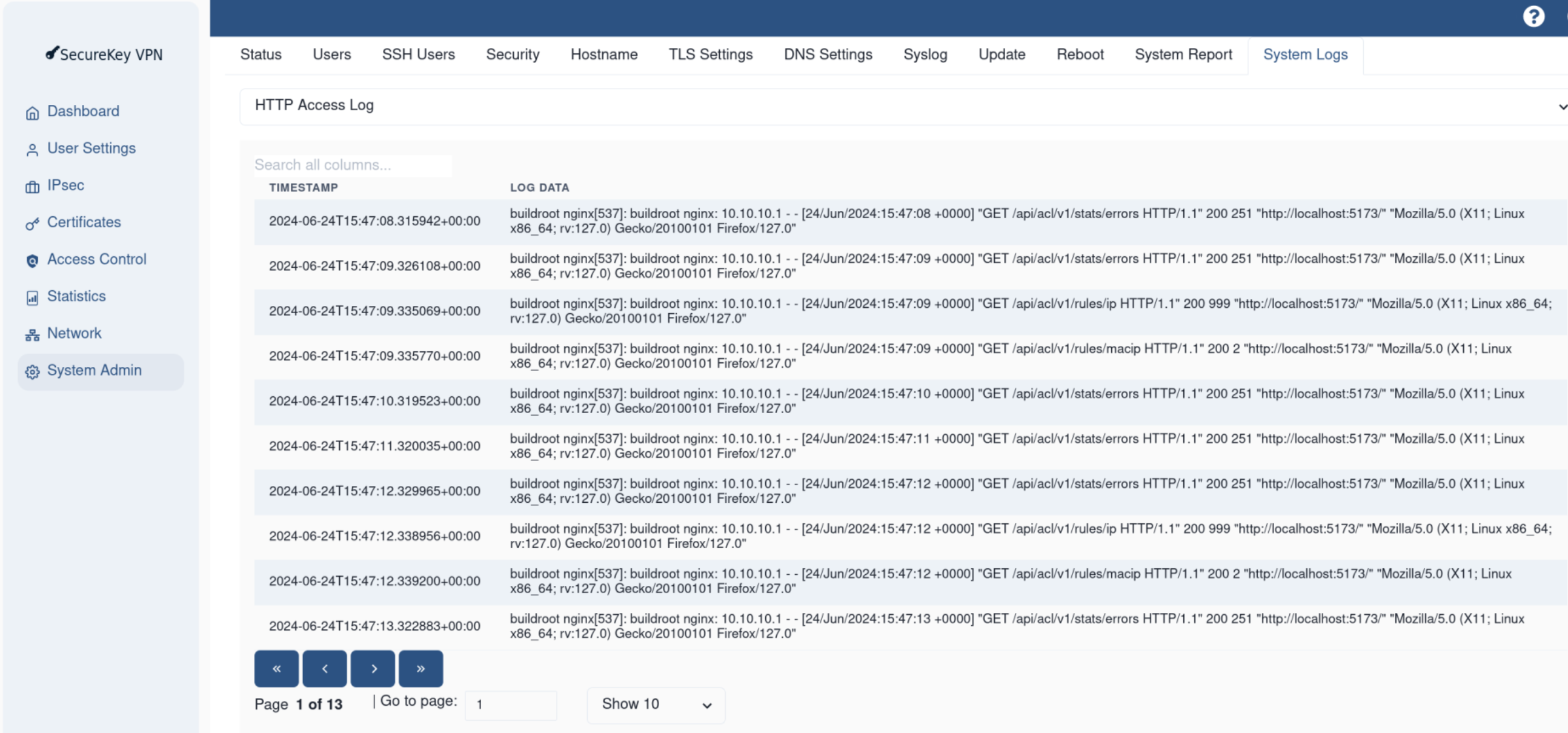
System Logs can be retrieved using the REST API:
Get the system logs: GET
/sys/logs/[log_name]
Note
The logs may be rotated if they grow too large and need to be trimmed. The default log size is 10MB, if any log is larger than 10MB it will be trimmed.
Syslog is the most common way of logging system events and is recommended for production systems.
System Statistics
System Statistics are available to retrieve informaton about the system hardware and software.
The Web UI can be used to retrieve System Statistics from the Statistics page:

System Statistics can be viewed using the REST API:
Get system statistics: GET
/stats/[stat_name]
System Statics can also be viewed in the CLI:
View system statistics:
show_stats_*